If you eat at Subway even now and then, the Subway app can save you money and time. It lets you order ahead, earn cash back, and see current offers in one place.
It isn’t perfect, though. Some users report glitches, and the rewards rules are worth understanding before you rely on them. This guide covers what the app does, how to sign up, how to save money, and what to do when things go wrong.
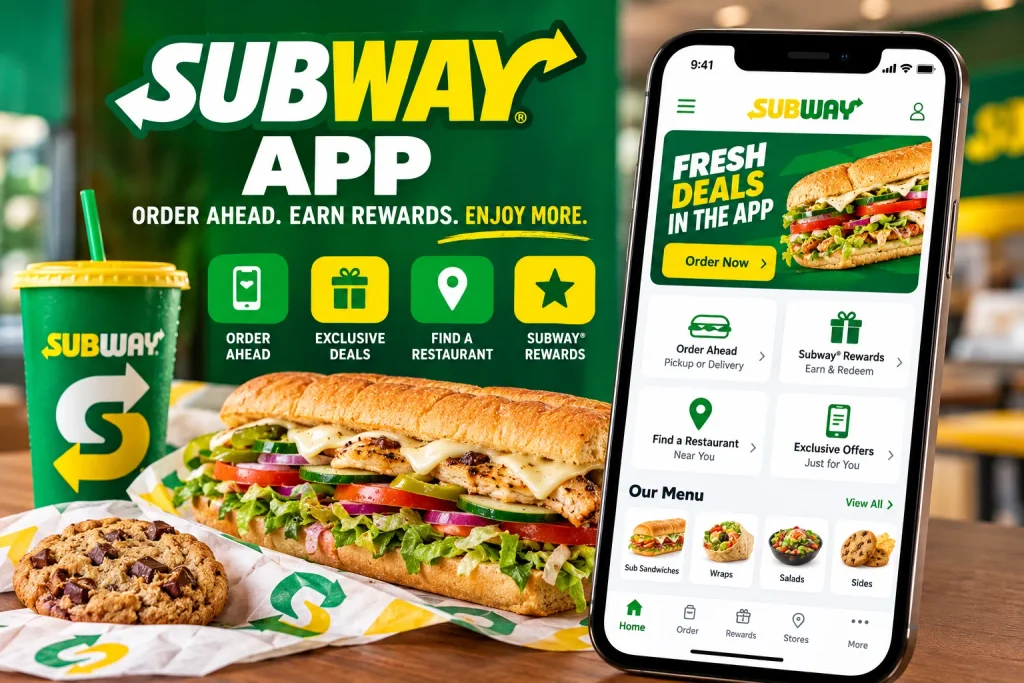
Does Subway Have an App in the UK?
Yes. The official Subway app in the UK is called “Subway UK & I” and is free to download on the App Store and Google Play. It covers the UK and Ireland.
Be careful when searching. There is also a US-style Subway app in the stores, and it won’t work properly for UK restaurants. Look for the “UK & I” name.
The app lets you:
- Join the Subway rewards scheme
- Order ahead and collect in store
- Save your favorite subs
- Reorder your last order in one tap
- Browse the menu and find your nearest store
If you’re still deciding what to order, our Subway menu prices UK guide shows typical footlong, 6-inch, and meal deal prices.
Is the Subway App Free?
The Subway app is free to download and free to use. Joining the rewards scheme costs nothing either.
You only pay for the food you order. Standard data charges from your phone provider apply, as with any app.
How to Download the Subway App and Sign Up
Getting started takes a couple of minutes. Here is the process for a Subway app sign-up.
- Open the App Store iPhone or Google Play Android.
- Search for “Subway UK & I.”
- Tap install.
- Open the app and choose to register.
- Enter your details and confirm your account.
- Pick your local store.
If you used the old Subway Rewards app, you can reportedly still use your existing login on the newer app. Update to the latest version if you hit problems.
Keep your email and password saved somewhere safe. Most Subway app login problems come from a forgotten password or a typo in the email address.
How the Subway Rewards App Works in the UK
The Subway Rewards app UK scheme is now built around Subway Cash, not points and tiers.
Here are the basics from Subway’s UK rewards page:
- You earn 10% back in Subway Cash on qualifying purchases.
- You earn it when you order via the app to collect or when you scan your QR code in store.
- You redeem it against a later purchase of anything on the menu.
- You can redeem in £1 increments, up to £40 per order.
So if you spend £10 on a qualifying order, you get £1 back in Subway Cash. It isn’t huge on one visit, but it adds up for regular customers.
What Happened to Points and Tiers?
The old scheme used points and levels such as Rising Star, Hot Shot, and The Boss. Those have been retired.
Under the changeover, old balances were converted into their Subway Cash equivalent. You can see your balance at the top of the app.
Some articles online still describe the old points system. If you see “150 points equals £1,” that information is out of date.
What Doesn’t Earn Subway Cash?
Read this part before you order. Subway Cash is not earned on:
- Taxes and fees
- Gift card purchases
- Orders placed with third-party delivery partners
- Catering delivery orders
Alcohol is also excluded, according to the terms summarized by UK guides.
How to Earn and Redeem Subway Cash
Earning is simple once you know the two routes.
Order ahead in the app: Pay in the app, collect in store, and the cash back is added automatically.
Order at the counter: Open the app and show your QR code before you pay. Ask the staff to scan it.
To redeem:
- Open the app and go to the rewards section.
- Choose how much Subway Cash you want to use.
- Add it to your mobile order, or scan the QR code in store.
A quick tip: redeem before you pay, not after. Once a payment goes through, it is hard to apply cash back to it.
How to Get Deals on the Subway App
Deals change often, so check the app before every order. Subway says to check your app for current offers and rewards.
Here are the places worth looking.
Inside the App
Member-only offers appear on the home screen. These can include birthday bonuses, milestone rewards, and limited-time discounts.
Some reviewers say the Subway app deals UK section is the main reason they keep the app. Others say offers vary by store, so what you see may differ from a friend’s.
Welcome Offers
Voucher sites have advertised a welcome deal for new users, such as 50% off a first mobile order. Treat this as a “check and see” offer, because it may not be live when you read this.
Voucher Sites
Sites like HotUKDeals list codes and offers. Always test a Subway app voucher code in the UK before you assume it works. Many are expired, and some don’t apply to third-party delivery.
Student and Other Discounts
Some discounts sit outside the app. Our Subway student discount UK guide explains how student offers work and what proof you may need.
What About a Free Cookie?
Searches for a free Subway app cookie are common. Free cookie offers do appear from time to time, but they are promotional and not permanent.
Open the offers tab and look. Don’t rely on a code someone posted months ago.
How to Use a Voucher Code on the Subway App
Voucher codes are tricky because they depend on the order type and the store.
Try this process:
- Add your items to your basket.
- Go to the checkout screen.
- Look for a promo or voucher box.
- Enter the code exactly as written.
- Check the total updates before paying.
If it fails, check the code’s terms. Common reasons include:
- The code has expired
- It only works in store, not in the app
- It doesn’t apply to delivery
- Your local store doesn’t take part
Order Ahead and Click and Collect
This is the feature most people love. Order ahead lets you build your sub at home, pay, and pick it up without queuing.
Subway describes it as a way to jump the queue, and it also lets you save your favourite orders.
How it works:
- Choose your store.
- Build your sub (bread, filling, salad, sauces, toasted or not).
- Pay in the app.
- Pick a collection time.
- Collect in store and give your name or order number.
A Subway click and collect UK order also earns you 10% Subway Cash, which delivery does not. That makes collection the better choice for regular customers.
Menu Customization
The app is good for building your own sub-fans. You can add extra cheese, double the meat, and skip the pickles without explaining it to the person behind the counter.
Allergen and nutritional information is another benefit. Check it in the app, or ask staff. If you have coeliac disease or a serious allergy, confirm with the store, because kitchens are not fully allergen-free.
Dietary needs are easier to plan with our guides to the Subway vegan menu UK and the Subway halal menu UK. Halal meat is only available at some stores, so check your local branch before ordering.
Can You Order Subway for Delivery on the App?
Sort of delivery in the UK usually runs through partners such as Uber Eats, Deliveroo, and Just Eat. Availability depends on your store and postcode.
There are two things to know:
- Third-party delivery orders do not earn Subway Cash.
- Promo vouchers often don’t apply to delivery.
So it comes down to convenience versus value.
| Order ahead (app) | Delivery apps | |
|---|---|---|
| Earns Subway Cash | Yes | No |
| Skip the queue | Yes | Not applicable |
| App-only offers | Often | Rarely |
| Delivery fees | None | Usually |
| Best for | Lunch runs, regulars | Staying home |
If you can collect, the Subway app almost always gives better value than a delivery platform.
Payment Options: Does Subway Accept Apple Pay?
The app takes card payments and, depending on your device, digital wallets. Availability can vary by app version and store, so check the payment screen at checkout.
In store, most UK Subway restaurants accept contactless payments, including phone wallets. Some franchise locations differ, so it is worth asking.
Gift Cards
Subway sells gift cards, and there is also a Subway gift card option for the UK. If you’re checking a balance, use the details on the card or the Subway gift card section on the official site.
Remember, buying a gift card does not earn Subway Cash. Spending the card on food in store may still count, depending on the terms.
Subway App Not Working? Common Fixes
App reviews show mixed experiences. Some users report blank screens, lost orders, and login errors. If you see the subway app not working or the subway app not loading problems, try these fixes in order.
- Update the app: An old version is the most common cause.
- Restart your phone: It clears temporary glitches.
- Check your connection: Switch between Wi-Fi and mobile data.
- Log out and back in: This can refresh your account.
- Clear the cache (Android): Go to Settings, Apps, Subway, Storage.
- Reinstall the app: You won’t lose your account, as it is stored online.
- Contact Subway support: Use the details on the official site.
A tip that could save you money: after paying for an order ahead, take a screenshot of your confirmation. One reviewer said they were charged, but the store had no record of the order. A screenshot and your bank statement make a complaint much easier.
How to Delete Your Subway Account
If you no longer want the account, look for account settings or a privacy option in the app. If you can’t find it, contact Subway customer support and request deletion.
Use up your Subway Cash first. Once the account is gone, the balance goes too.
Subway App vs. In-Store: Which Is Better?
It depends on how you eat.
The app wins when you:
- Are short on time
- Want to earn 10% back
- Like to customize every detail
- Want to see app-only offers
In-store wins when you:
- Are in a hurry with no signal
- Want to ask staff about ingredients
- Have a problem with the app that day
You can also do a hybrid. Order at the counter, but scan your QR code so you still earn Subway Cash.
Frequently Asked Questions
Is the Subway app better than in-store?
For regular customers, yes. You earn rewards, skip the queue and get access to member offers. For a one-off visit, the difference is small.
How do I earn rewards on the Subway app?
You earn 10% back in Subway Cash on qualifying purchases made via the app to collect, or by scanning your QR code in store.
What is Subway Club or Subway Rewards UK?
It is Subway’s free membership scheme. It gives you Subway Cash, birthday bonuses, milestone rewards and member offers. Names vary by country, and you may see “Sub Club” mentioned for other regions.
Can I use Subway Cash on delivery orders?
No. Third-party delivery orders do not earn Subway Cash, and promo codes may not apply either.
What’s the most Subway Cash I can use on one order?
You can redeem up to £40 per order, in £1 increments.
Is there a Subway store locator in the app?
Yes. You can find your nearest store in the app and choose it before ordering.
Where can I compare prices before ordering?
Prices vary by store and region, and franchise locations set their own. Our Subway menu prices UK page gives typical ranges for subs, wraps, salads and meal deals.
Final Thoughts
The Subway app is worth downloading if you visit more than a couple of times a month. The 10% Subway Cash, order ahead and saved favourites make it the best way to order.
Keep expectations realistic, though. It can be glitchy, offers vary by store, and delivery orders miss out on rewards. For the best results, collect where you can, check the offers tab every time, and screenshot your order confirmation.
Before you head out, check typical costs on our full Subway UK menu with prices so there are no surprises at the till.